Book Type
Option Screen: 1 of 4
Book Type
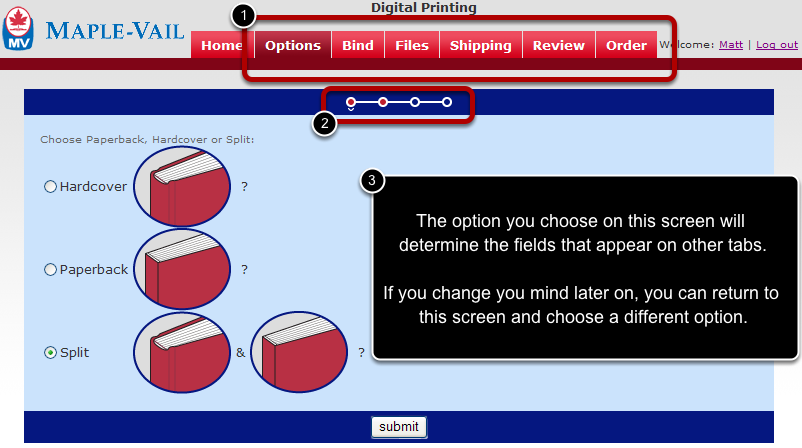
1) All of these tabs allow you to enter specifications for a single job.
2) These links let you navigate between the four screens under the OPTIONS tab. Red dots indicate you have visited that screen at least once. Blue dots indicate that you have not been on that screen and you must first complete the previous screen before being allowed to continue.
3) The system is capable of handling jobs that contain Hardcover or Paperback books. Choose "SPLIT" if you want the same interior text (aka: the same title) to manufactured with both a Hardcover and Paperback cover.
The choice you make on this screen will determine the fields that appear on the next few screens. In other words, if you choose "PAPERBACK" on this screen, the system will only present you with fields associated with manufacturing paperback books.
It is possible to return to this screen to can choose a different option.